
Resources
How the best estates are run.
Field guides, operating benchmarks and product documentation for media owners moving off spreadsheets — written by the team that builds the platform.

Featured guide
The DOOH inventory audit: a 30-day plan
What to capture per face, how to photograph and geo-tag a site, which fields make a listing sell, and how to get an estate of 400 assets into a clean register in a month without stopping trading.
Product tour
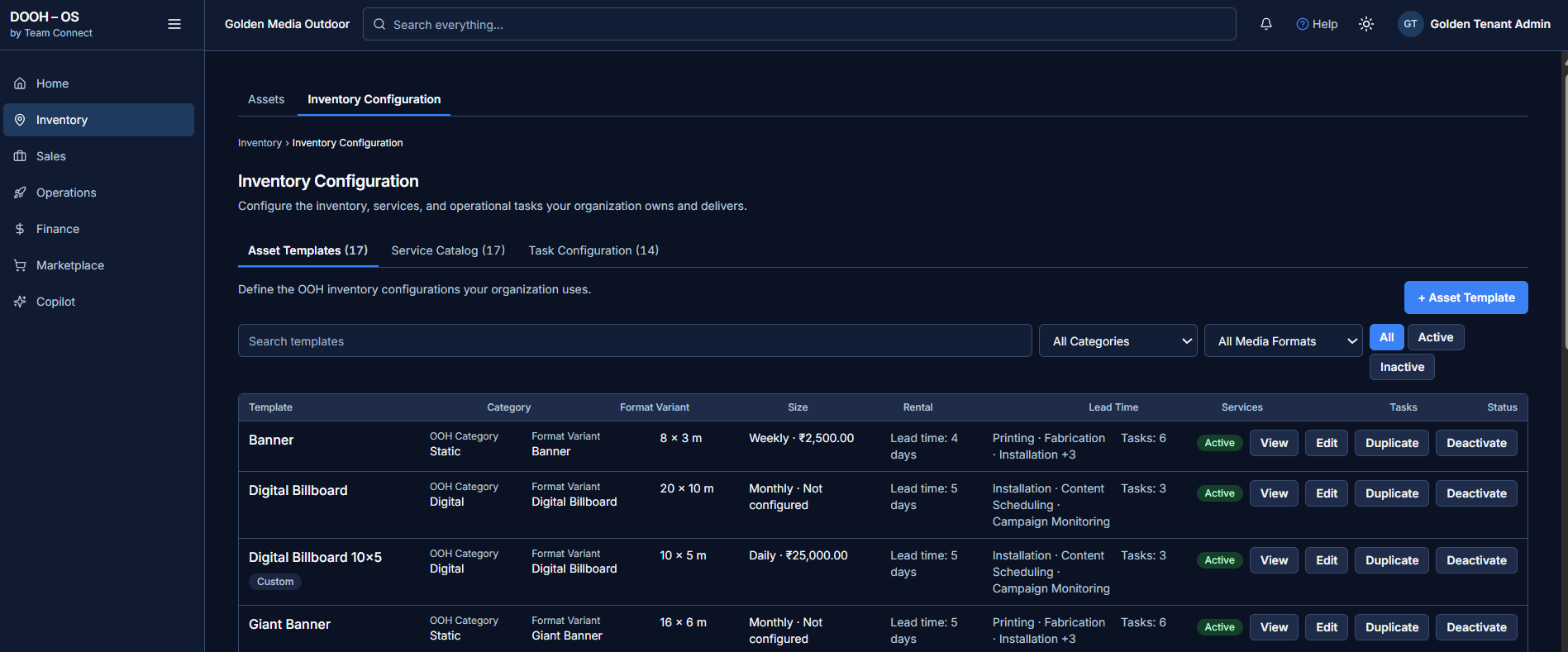
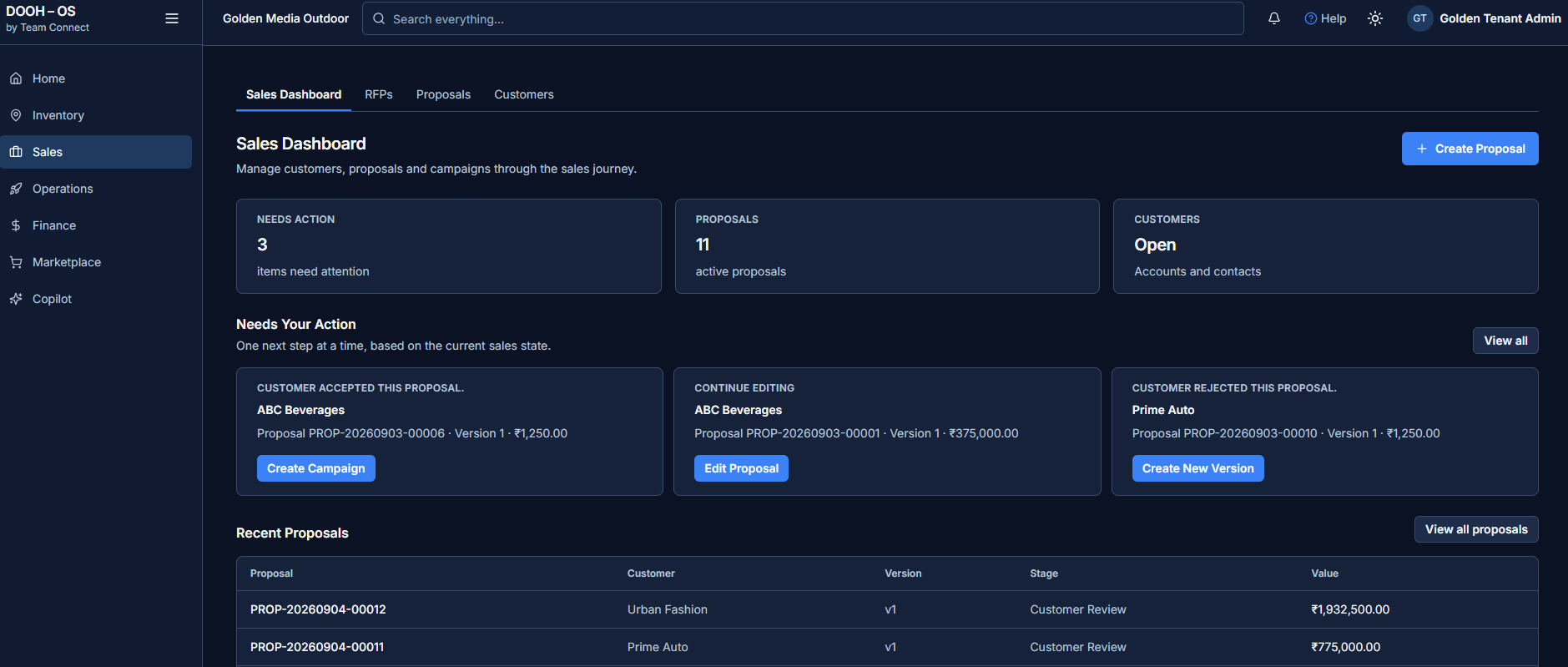
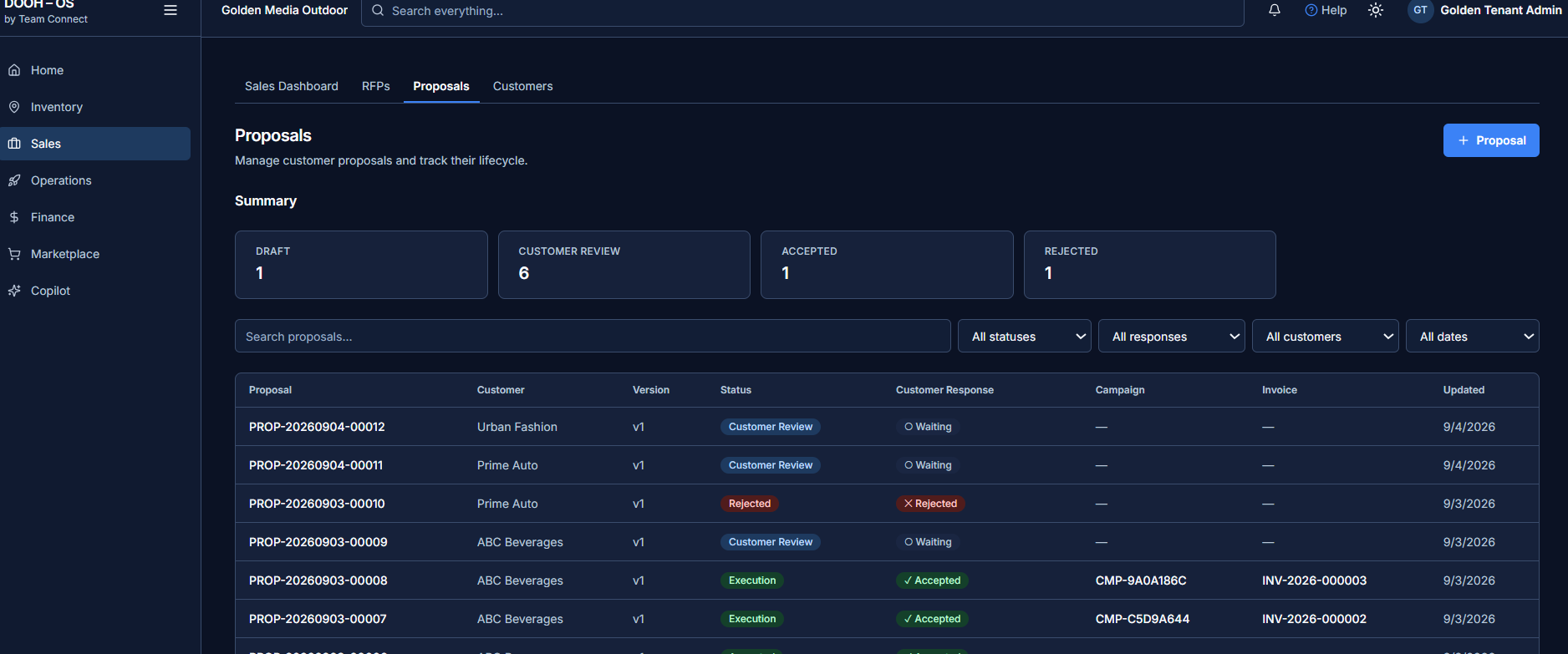
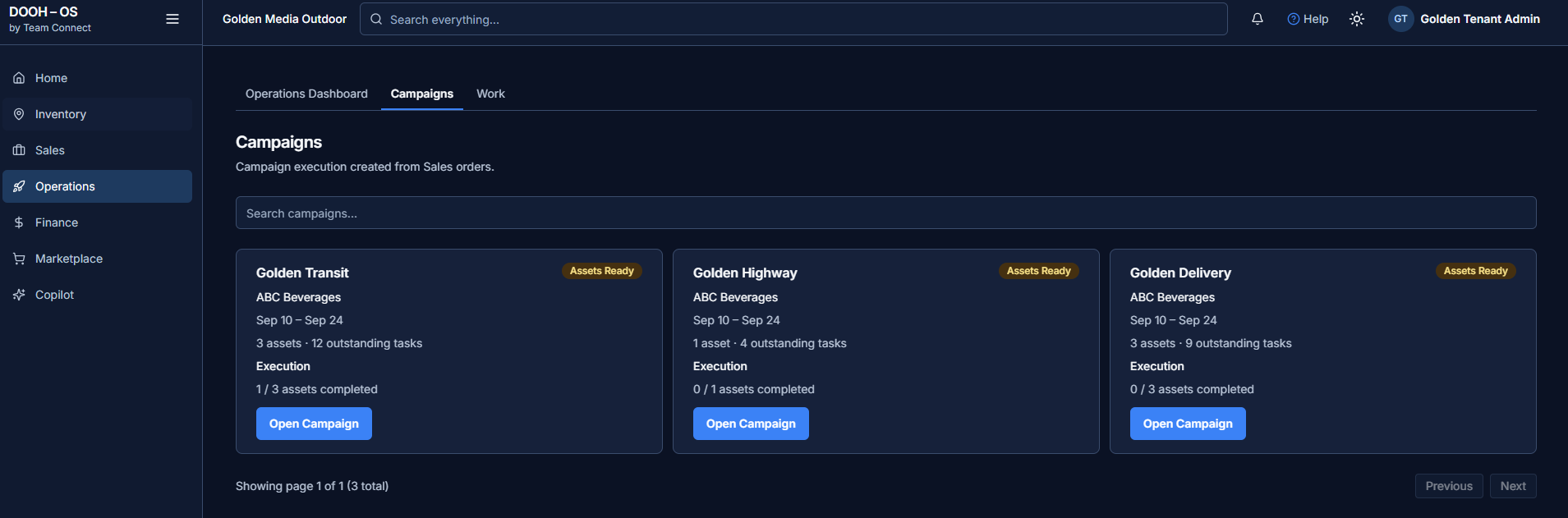
The actual product
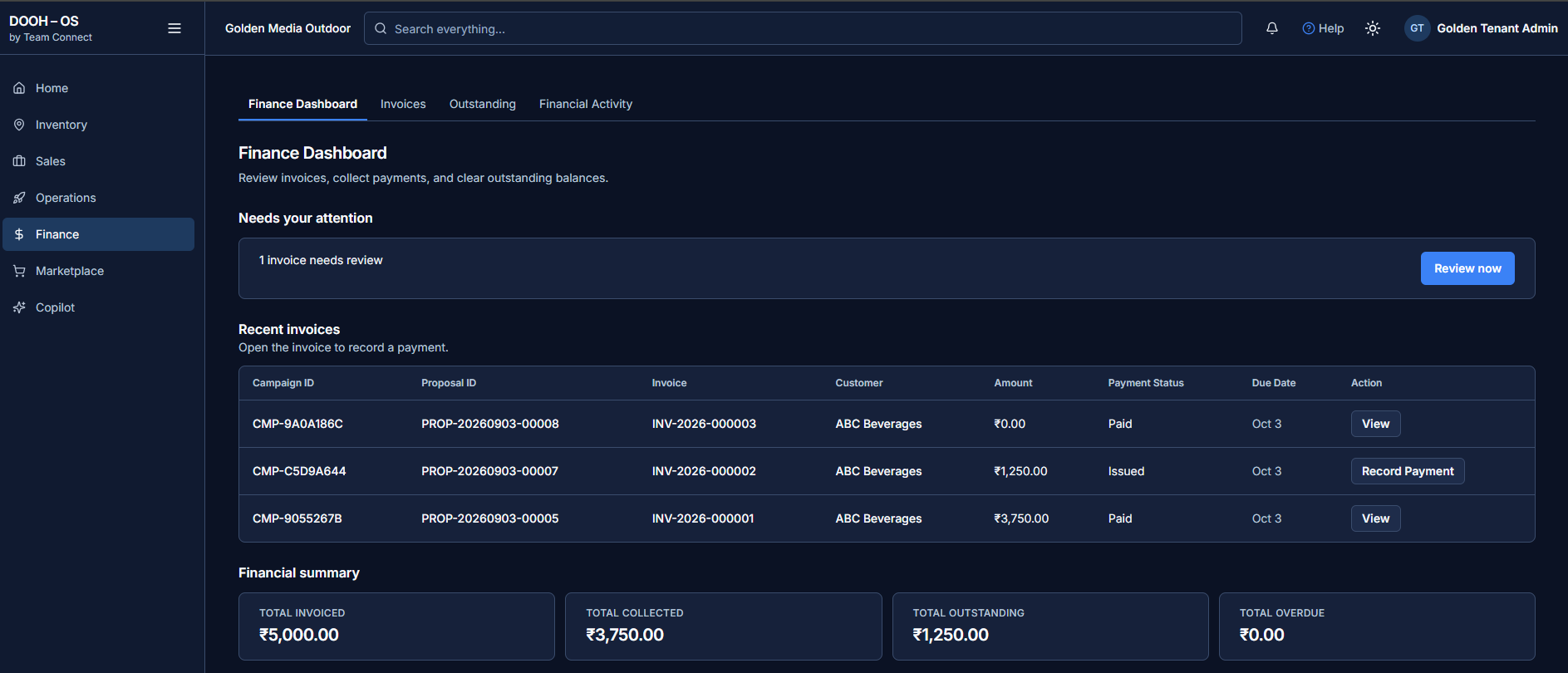
Not illustrations — these are the screens your team would use.
The library
Read by stage of the lifecycle
Writing a listing that agencies shortlist
The nine fields buyers filter on, and the three photographs every face needs.
BenchmarkRFP response times across 120 media owners
Where deals are lost between enquiry and proposal, and what the fast quartile does differently.
TemplateProposal pack structure
The section order that survives procurement review, with a rate-card worksheet.
Case studyA 640-face estate, one register
How a regional network consolidated four spreadsheets and two inboxes in six weeks.
Field opsQR tagging in the field
Tag placement, weatherproofing and the crew workflow that keeps records current.
FinanceClosing the gap between posted and paid
Linking proof-of-posting to invoicing so collections stop depending on memory.
Product docsPlatform documentation
Configuration, permissions, templates and the data model, kept current with each release.
WebinarPublishing without losing control
45 minutes on what to expose to the market, what to keep private, and why.
One operating note a month
Benchmarks, field practice and release notes. No product marketing.
Frequently asked
What does the marketplace actually publish?
Only what you choose. Media owners control which assets are publicly visible; buyers can then search, filter, explore by location, view specifications, availability and relevant pricing, and request a proposal from an opportunity.
Do assets have to appear on a map?
No. Map-based discovery appears for assets where latitude and longitude are recorded. Assets without coordinates are still fully searchable and filterable in the list and card views.
How does the QR asset identity work?
Each asset carries a unique QR identity. A field engineer scans it, the correct digital record opens, and maintenance or incidents are reported against that identified asset rather than one recalled from memory.
What kinds of inventory does it handle?
Assets are defined by reusable templates, so any format you configure is supported — static formats such as banners, giant banners and hoardings, and digital formats such as digital billboards. A template carries category, format variant, size, rental frequency and value, lead time, attached services and operational tasks.
Does an RFP become a proposal automatically?
It is a guided path rather than an automatic one. Requirements are captured and organized, suitable inventory is identified against them, and the opportunity is progressed to a proposal — which then carries its own versions and customer responses.
Where does invoicing sit?
In the platform. Invoices reference the campaign and proposal that generated them, payments are recorded from the invoice itself, and the finance view reports collected, outstanding and overdue amounts.
Can we bring our existing inventory across?
Yes — inventory is configured through asset templates and the service catalog, and data import is part of onboarding. Bring your current asset list to the demo and we will walk through how it maps.
How do we see it properly?
Ask for a demo. We walk the whole journey on real screens — marketplace, an RFP, a proposal, an accepted proposal becoming a campaign, the field work behind it, and the invoice it produces.
Request a demo
Reading is useful. Seeing it is better.
Bring your own estate to the call and we will set up a working register with a handful of your real assets.